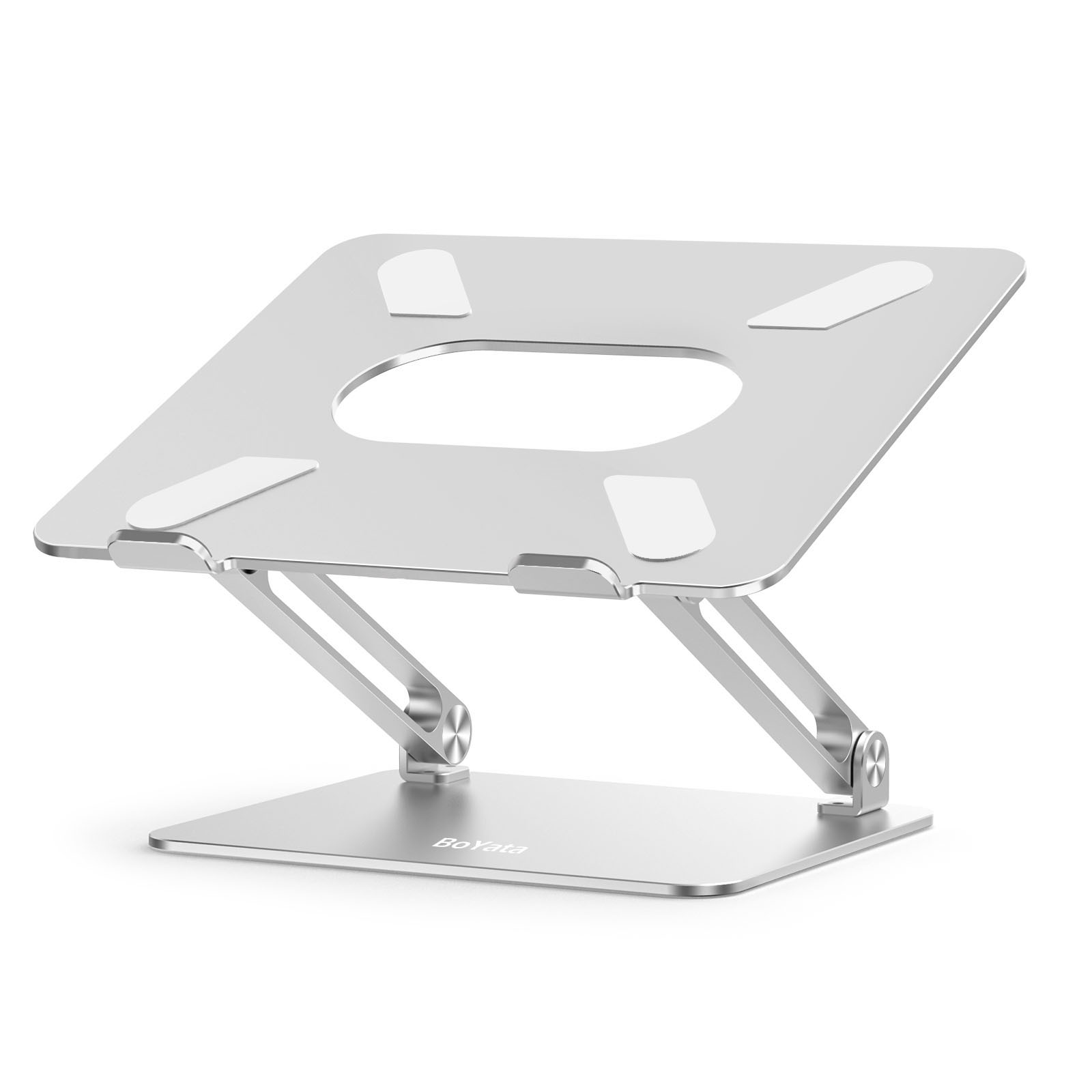
The BoYata N19 costs $36, adjusts from 2 to 10 inches, and fits any laptop from 11 to 17 inches. The Rain Design mStand costs $50, looks like Apple designed it, and is stuck at 5.9 inches forever. I’ve had both on my desk for three months. For most engineers running a multi-monitor workstation, the BoYata wins. But “most” isn’t everyone, and the mStand has a real case for a specific kind of setup.
How Does the BoYata N19 Laptop Stand Compare on Adjustability?
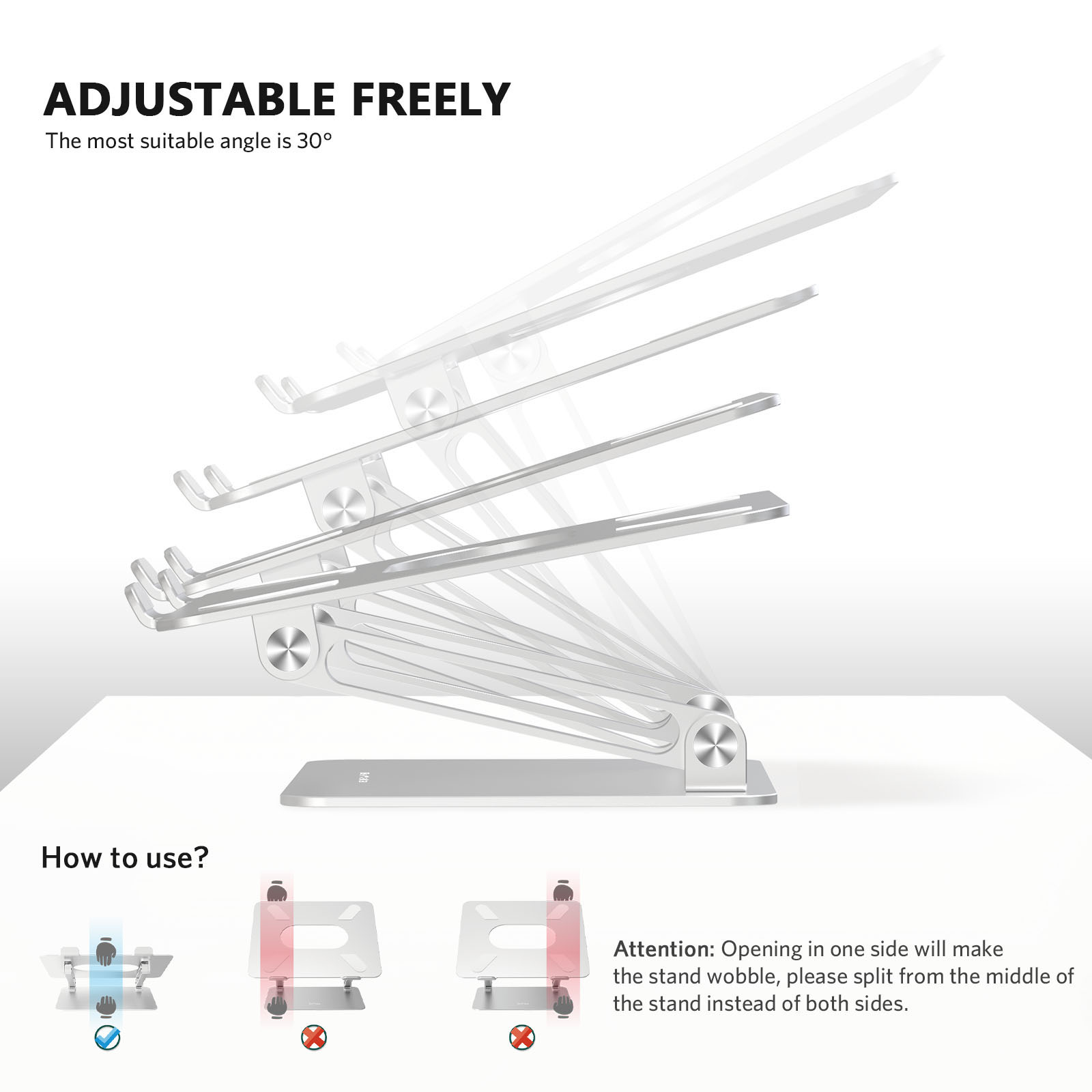
The BoYata N19 gives you continuous height adjustment from 2 to 10 inches using a Z-type dual hinge. According to Contour Design’s ergonomic research, raising a laptop screen to eye level reduces neck and shoulder strain by up to 32%. A fixed stand either hits your eye level or it doesn’t. The BoYata lets you dial it in.
The mStand sits at 5.9 inches with an 18-degree tilt. That’s it. No adjustment, no compromise, no options. If you’re 5'8" with a 74cm desk, 5.9 inches might land perfectly. If you’re 6'2", your screen is still below eye level. If someone else uses your desk on weekends, they get whatever 5.9 inches gives them.
The BoYata also tilts from 0 to 45 degrees, stepless. I keep mine around 10 degrees, but the range is there for drawing tablet setups or screen sharing across a desk. The mStand’s 18-degree tilt is fixed. Good angle, but you’re locked into it.
One thing worth mentioning: the BoYata’s hinges are painfully stiff out of the box. Like, you’ll wonder if yours is broken. They loosen after a week or two of daily use, and the stiffness is intentional. Stiff hinges hold position without sagging under a 3kg laptop. But that first week is a grip workout.
Which Laptop Stand Has Better Build Quality?
The mStand is a single piece of forged aluminum with a patented cable channel in the back. It matches the MacBook finish exactly, available in Silver, Space Gray, and Gold. Placed next to a MacBook on a clean desk, it looks like one continuous product. There’s a reason it’s been a desk-setup Instagram staple for over a decade.
The BoYata is aluminum alloy with visible hinges, bolts, and silicone pads. Functional, not decorative. It looks like what it is: an adjustable mechanism. If your desk setup is an aesthetic project, the BoYata will stick out. The mStand won’t.
Here’s where the tradeoffs get real. The mStand routes your charging cable through a rear channel, keeping things clean. The BoYata has no cable management at all. Cables just hang. For the “one cable or less” crowd, that’s a genuine annoyance.
But the BoYata handles heavier laptops. Its 44-pound (20kg) capacity is roughly 4x what the mStand supports. Any 17-inch workstation laptop sits securely. The mStand was designed for MacBooks, and its weight tolerance reflects that.
The wobble question: yes, the BoYata wobbles when you type directly on the laptop. At maximum height with aggressive typing, the screen visibly shakes. This is physics, not a defect. A Z-hinge at full extension is a lever arm. Use an external keyboard, which you should be doing anyway for ergonomics, and the wobble disappears entirely. The mStand, being a rigid single piece, doesn’t wobble. At all. Ever.
What About Laptop Compatibility?
The BoYata fits any laptop from 11 to 17 inches, regardless of brand. ThinkPad, Dell XPS, MacBook, Razer Blade, ASUS ROG, whatever. The silicone pads grip without leaving marks, and the 44-pound capacity means even the heaviest gaming laptops sit flat.
The mStand technically fits laptops up to about 15.6 inches. It’s designed for MacBooks, optimized for their form factor, and color-matched to their finishes. A 14-inch ThinkPad will sit on it fine. A 17-inch Alienware will overhang the edges and look wrong. Can it work with non-Apple laptops? Sure. Does it feel designed for them? No.
If you switch between multiple laptops or run anything larger than 15 inches, the BoYata is the safer pick.
BoYata N19 vs mStand vs Twelve South Curve Flex
| Feature | BoYata N19 ($36) | Rain Design mStand ($50) | Twelve South Curve Flex ($80) |
|---|---|---|---|
| Material | Aluminum alloy | Single-piece aluminum | Aluminum |
| Adjustable height | Yes, 2-10" | No, fixed 5.9" | Yes, adjustable |
| Tilt | 0-45 degrees | Fixed 18 degrees | Adjustable |
| Laptop size | 11-17" | ~15.6" (MacBook focused) | 10-17" |
| Cable management | None | Rear cable channel | Rear cable channel |
| Weight capacity | 44 lbs | ~10 lbs | ~11 lbs |
| Portable / foldable | Yes | No | No |
| Aesthetic | Functional | Premium | Premium |
| Amazon rating | 4.8/5 (10,000+) | 4.6/5 | 4.5/5 |
The Twelve South Curve Flex is the Western adjustable alternative. It gives you height adjustment, cable management, and a polished look. It also costs $80, more than double the BoYata. The functionality overlap is huge. The price gap is not.
Pick Your Fighter
Get the BoYata N19 if:
- Adjustability matters more than aesthetics
- You’re budget-conscious and $36 beats $50 or $80
- You use a non-MacBook laptop, or anything over 15 inches
- Multiple people share your desk setup
- You travel and want something foldable
Get the Rain Design mStand if:
- Your desk is a visual project and the stand needs to match
- You run a MacBook and want color-matched aluminum
- Cable management matters to you
- You don’t need height adjustment (5.9 inches works for your setup)
- Wobble-free stability is non-negotiable, even typing on the laptop
For most engineers running a mixed-device workstation, the BoYata N19 does more for less. The mStand is the better-looking product. But “better-looking” doesn’t fix your neck at the wrong height, and $36 is $36.
Read more: Full breakdown in our BoYata N19 review, or see where both land in the Best Laptop Stands 2026 ranking. For more Chinese brands worth knowing about, check the Chinese Brands Desk Gear Guide.
Both products purchased with personal funds. No brand relationships.