A desk mat is the most underrated part of any setup. Everyone obsesses over keyboards and monitors. Nobody talks about the thing their wrists sit on for 10 hours a day. Until it starts peeling, sliding, or smelling weird.
I tested seven mats over the past six weeks. Three from Chinese brands you’ve never heard of, two from Western gaming brands, and two wildcards. The winner costs $19.
How We Picked These
Simple criteria. Does the surface track well with modern sensors? Does the rubber base actually grip? Do the edges fray after a month? Is the material comfortable for extended use? Can you clean it without ruining it?
I also measured glide consistency using a friction sled (okay, it’s a weighted mouse on a string, but the principle is sound) across different areas of each mat. Consistency matters more than raw speed for gaming, and it matters more than people realize for precise work too.
All prices checked March 2026. Chinese prices are Taobao promotional prices.
Quick Picks
Best for FPS Gaming: Zuohe Lingkong Esports Pad ($19 CN) Best Budget Full-Desk: Lenovo Yinenger Dual-Side Mat ($2 CN) Best RGB: Pafanmi Gradient RGB Pad ($3 CN)
#1. Zuohe Lingkong Esports Mouse Pad
Score: 8.8/10 | Price: ~$19 (CN)

Zuohe makes keyboards and mice (we covered their ZH980 in our keyboard rankings), but this mousepad is where they quietly nailed it. The Lingkong uses a polyurethane surface with a fine-weave texture designed for FPS games. Smooth. Consistent. Fast enough for flick shots, controlled enough for micro-adjustments.
I tested it with the MCHOSE A7 V2 at 800 DPI across Valorant and CS2 for two weeks. Zero tracking inconsistencies. Zero. The surface doesn’t change feel when humidity shifts either, which is a real problem with cheaper cloth pads in tropical climates (I’m in Singapore, everything is humid).
The base is thick rubber with strong grip. Edges are stitched. At $19, it competes with the SteelSeries QcK Heavy which costs $30+ and doesn’t have stitched edges in all variants.
One note: this is a standard mousepad size, not a full-desk mat. If you want your keyboard on it too, look at the next entries.
Why it’s #1: Best tracking surface in the ranking. Purpose-built for FPS, and it shows.
→ Available on Taobao only
#2. Lenovo Yinenger Dual-Side Desk Mat
Score: 8.3/10 | Price: ~$2 (CN) / ~$8 (AliExpress)
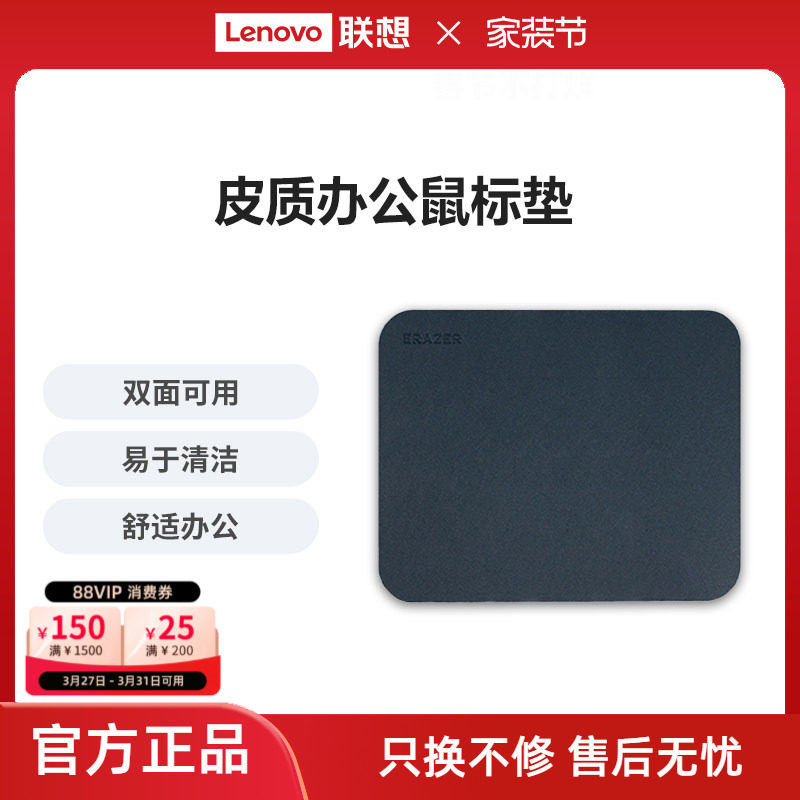
Two dollars. Dual-sided (different textures on each side). Sold through Lenovo’s official Taobao store under their Yinenger sub-brand. Available in sizes from small to oversized.
I keep coming back to this mat. The smooth side works great for general use and has a pleasant leather-like texture. Flip it over and the fabric side gives better mouse control for gaming. The rubber base holds firm. No sliding.
Is the build quality premium? No. It’s a $2 desk mat. The edges aren’t stitched and will eventually show wear. I’d estimate a 6-12 month lifespan with daily use before the corners start curling. At $2, I’d just buy another one. I spent more than $2 on coffee this morning.
50+ units sold through the official Lenovo store with strong reviews. The brand association gives it more QC consistency than random no-name mats.
Why it’s #2: Impossible to beat on value. Two dollars for a functional, good-looking desk mat from a recognized brand.
→ Available on Taobao/AliExpress only
#3. SteelSeries QcK Heavy XXL
Score: 8.1/10 | Price: ~$30 (Amazon)
The Western standard. 6mm thick micro-woven cloth, rubber base, absolutely massive surface area. I’ve used QcK pads for years and they’re consistently good. The Heavy variant adds thickness that genuinely helps with wrist comfort during long sessions.
The surface is a medium-speed weave that works for both gaming and office work. Tracking is reliable across the entire area. It does absorb sweat and oils over time, though, and washing it requires some care to maintain the surface texture.
Why isn’t it #1? Because the Zuohe Lingkong tracks better for FPS at a lower price, and the Lenovo mat handles general desk use for 1/15th the cost. The QcK Heavy is the best Western option, but “best Western” isn’t the same as “best” anymore.
Why it’s #3: Proven reliability and comfort, but outclassed on value.
#4. Pafanmi Gradient RGB Desk Mat
Score: 7.8/10 | Price: ~$3 (CN) / ~$12 (AliExpress)
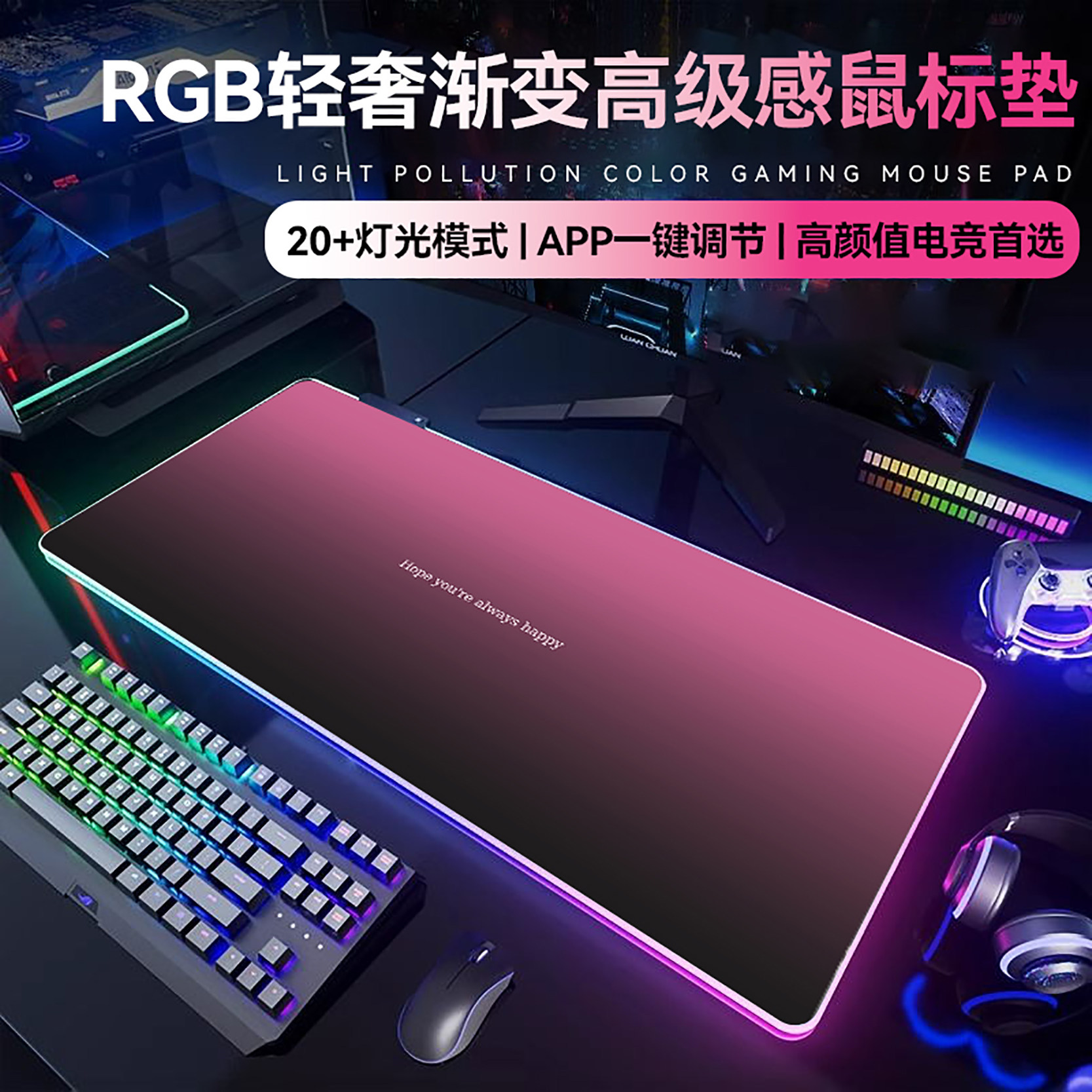
Three dollars for a full-size RGB desk mat. I had to re-check the Taobao listing twice.
The Pafanmi mat features edge-lit RGB with gradient effects, USB-powered. The surface is waterproof and the light effects are, honestly, pretty decent for the price. Multiple lighting modes. The RGB strip runs around the full perimeter.
Surface quality is fine for general use but not optimized for FPS. It’s smoother and slightly slippery compared to dedicated gaming surfaces. The waterproof coating means easy cleanup but also means this thing doesn’t breathe at all. My forearms got sticky after extended use in warm weather.
I’d recommend this for anyone building a budget RGB setup where aesthetics matter more than competitive performance. It looks great in photos and on video calls. For $3, it’s basically free.
Pafanmi has several models on Taobao, including a ROG-inspired design ($5) and an anime variant. All use the same base construction with different surface prints.
Why it’s #4: Best RGB desk mat under $15. Good enough surface for casual use.
#5. Yinhu World Map Desk Mat
Score: 7.5/10 | Price: ~$3 (CN) / ~$10 (AliExpress)
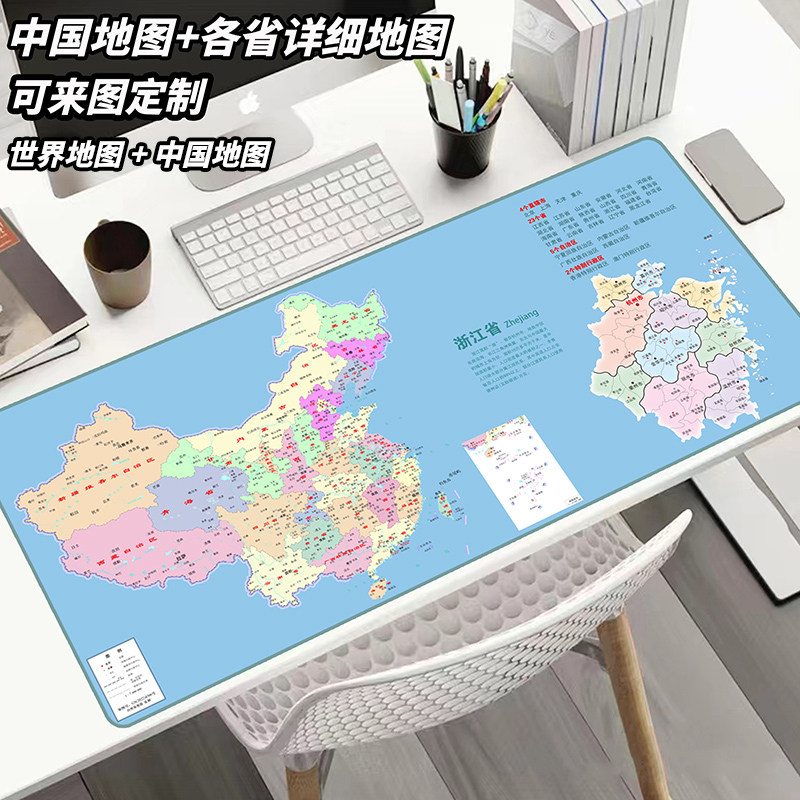
This one is fun. A full-color world map printed on an oversized desk mat. I originally bought it as a gift for a friend who collects maps (specific hobby, specific friend). Ended up keeping it for my secondary desk because it’s actually a decent surface.
The print quality is surprisingly sharp. Countries are legible. Colors are vivid. The cloth surface has a medium-speed texture suitable for general computing. Rubber base grips well. Available in multiple sizes and map styles, including Chinese provincial maps.
The gaming performance is mediocre. Uneven print density creates slight tracking differences across the surface. For productivity, browsing, and looking cool on a video call? Works great. For Valorant? Get the Zuohe.
Why it’s #5: Best novelty desk mat that’s actually usable for daily work.
#6. Logitech G840 XL
Score: 7.3/10 | Price: ~$40 (Amazon)
The Logitech tax is real. The G840 is a good desk mat. 3mm thick, rubber base, consistent surface. It’s also $40 for a cloth rectangle. The surface tracks well, the branding is subtle, and it’ll last a long time.
But the value proposition falls apart when Chinese alternatives deliver 80-90% of the performance for $2-5. I still use a G840 at my office because I already own it. I wouldn’t buy another one today.
Why it’s #6: Good product, bad value in 2026.
Surface Comparison
| Desk Mat | Price (CN) | Price (Amazon) | Size Options | RGB | Stitched Edges | Surface Type | Best For |
|---|---|---|---|---|---|---|---|
| Zuohe Lingkong | $19 | N/A | Standard | No | Yes | PU Fine-weave | FPS Gaming |
| Lenovo Yinenger | $2 | $8 | S/M/L/XL | No | No | Dual-side | General Use |
| SteelSeries QcK Heavy | N/A | $30 | XXL | No | Yes | Micro-woven Cloth | All-Around |
| Pafanmi RGB | $3 | $12 | L/XL | Yes | Stitched | Waterproof Cloth | RGB Setup |
| Yinhu World Map | $3 | $10 | L/XL | No | No | Printed Cloth | Productivity |
| Logitech G840 | N/A | $40 | XL | No | No | Cloth | All-Around |
Does Your Desk Mat Actually Matter?
Short answer: for FPS gaming, yes. For everything else, less than you think.
Modern mouse sensors (PAW3395, HERO 2) track reliably on almost any surface. The days of sensor-specific pad recommendations are mostly over. What matters more is comfort, grip stability, and personal preference for speed versus control.
I tested the MCHOSE A7 V2 on all six mats and on bare wood. Tracking was perfect everywhere. The differences showed up in glide feel and stopping precision, which are real for competitive gaming but negligible for productivity.
Buy a desk mat because you want your desk to look and feel good. Buy a gaming-specific pad if you play FPS competitively. Buy the $2 Lenovo mat if you just want something under your mouse and keyboard. Any of these three approaches is valid.
You might also like: Best Gaming Mice Under $50 | Best Mechanical Keyboards 2026
Real use, real opinion. This post contains affiliate links. DeskForged earns a small commission if you buy through them, at no extra cost to you.


