How We Rank
We don’t do quick unboxings. Every light bar in this ranking has been tested for a minimum of two weeks on our engineering workstations. We measure:
- CRI (Color Rendering Index), how accurately colors appear under the light
- Lux distribution, evenness of light across the desk surface
- Glare, any reflection on monitor screens at various angles
- Thermal performance, heat output after 8+ hours of continuous use
- Build quality, materials, clamp mechanism, longevity
Last updated: March 2026. Testing protocol v4.2.
Quick Picks
Best Overall: Yeelight Screen Light Bar Pro, $109 Best Budget: Yeelight LED Screen Light Bar, $18 Best Premium: BenQ ScreenBar Halo, $179
#1. Yeelight Screen Light Bar Pro

Score: 9.5/10 | Price: $109 | Read Full Review
The Pro model adds a wireless dial controller and RGB ambient backlight to Yeelight’s already-excellent formula. Ra95 CRI, flicker-free output, and a build quality that matches lights costing $70 more. The wireless controller alone justifies the upgrade from the base model.
Why it’s #1: Best combination of light quality, features, and price. The only light bar where we couldn’t find a meaningful compromise. See our Yeelight vs BenQ comparison for the full head-to-head.
#2. BenQ ScreenBar Halo
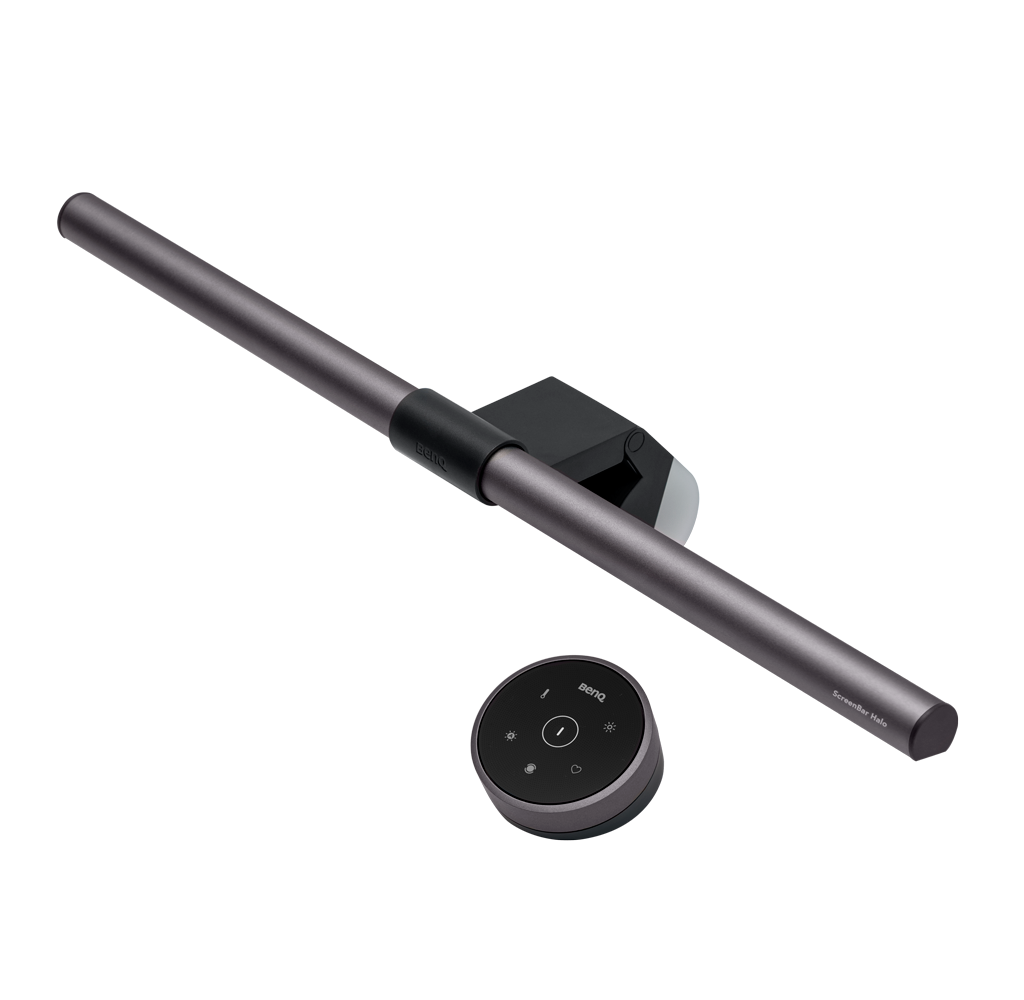
Score: 9.3/10 | Price: $179
The benchmark that every light bar is measured against. The Halo adds backlight illumination and a refined wireless controller. CRI is class-leading at Ra97. The auto-dimming ambient sensor is genuinely useful.
Why it’s #2: Objectively excellent, but the $70 premium over the Yeelight Pro buys you marginal improvements. Worth it if budget isn’t a concern.
#3. Yeelight LED Screen Light Bar (Base)

Score: 9.0/10 | Price: $18 | Read Full Review
The value king. Ninety percent of BenQ’s performance at one-third the price. Solid aluminium build, USB-C power, and asymmetric optics that work as advertised. Missing auto-dimming and a remote, but at $18, nobody’s complaining.
Why it’s #3: Unbeatable at this price. The default recommendation for anyone building their first proper desk setup.
#4. Baseus Screen Light Bar
Score: 8.2/10 | Price: $25
A solid middle-ground option. Stepless dimming and color temperature control via touch. Build quality is a step below the Yeelight but still respectable. The clamp mechanism is slightly fiddly with curved monitors.
#5. Quntis L206
Score: 7.8/10 | Price: $30
Available on Amazon with fast shipping, which matters if you don’t want to wait for AliExpress. Decent CRI (Ra90), good build, but the touch controls are occasionally unresponsive. A safe budget pick.
Full Comparison Table
| Rank | Product | Price | CRI | Controller | Auto-Dim | USB-C | Score |
|---|---|---|---|---|---|---|---|
| 1 | Yeelight Pro | $109 | Ra95 | Wireless Dial | No | Yes | 9.5 |
| 2 | BenQ Halo | $179 | Ra97 | Wireless Touch | Yes | Yes | 9.3 |
| 3 | Yeelight Base | $18 | Ra90 | Touch Bar | No | Yes | 9.0 |
| 4 | Baseus | $25 | Ra90 | Touch Bar | No | Yes | 8.2 |
| 5 | Quntis L206 | $30 | Ra90 | Touch Bar | No | Yes | 7.8 |
Methodology
Our testing protocol (v4.2) measures each light bar across five dimensions:
- Light Quality (40%), CRI measured with X-Rite i1Display Pro. Lux readings at 12 points across a standard 120cm desk.
- Build Quality (20%), Materials assessment, clamp stress test (50 cycles), finish durability.
- Features (15%), Controller quality, dimming range, color temperature range, smart home integration.
- Value (15%), Performance-per-dollar against the competitive set.
- Ease of Use (10%), Setup time, daily operation friction, compatibility with monitor types.
Scores are weighted and normalized to a 10-point scale. No brand relationships or sponsorships influence our rankings.
Disagree with our ranking? Email us at [email protected], we read everything.


