Every laptop got thinner. Every port disappeared. And now we all carry a small metal rectangle to get our ports back.
That’s the USB-C dock market in one paragraph. But the spread between a $37 UGREEN hub and a $380 CalDigit Thunderbolt station is not just about port count. It’s about bandwidth allocation, power delivery negotiation, thermal management, and whether your 4K display actually runs at 60 Hz or quietly drops to 30 Hz when you plug in an external drive. (Ask me how I know.)
I’ve tested seven docks over the past three months. Some are great. One is genuinely special – and it comes from a Shenzhen startup most Western buyers have never heard of.
How We Evaluate Docks
This isn’t a port-counting exercise. We test:
- Bandwidth under load – file transfer speeds while running an external display. This is where cheap hubs fall apart.
- Power delivery accuracy – does it actually deliver the wattage it claims? Measured with a USB-C power meter.
- Thermal performance – surface temps after 4 hours of sustained use. Some docks throttle. We catch that.
- Display output quality – resolution, refresh rate, and color accuracy on external monitors
- Build quality and design – because a dock lives on your desk permanently
All testing done with a MacBook Pro M3 and a ThinkPad X1 Carbon. Dual-platform testing matters because USB-C Alt Mode behavior varies between macOS and Windows. A dock that works perfectly on one might have issues on the other.
Picks That Matter
Best Overall: DOCKCASE Explorer 10-in-1 – $160 Best Premium: CalDigit TS4 – $380 Best Value: UGREEN Revodok Pro 9-in-1 – $130
#1. DOCKCASE Explorer Edition 10-in-1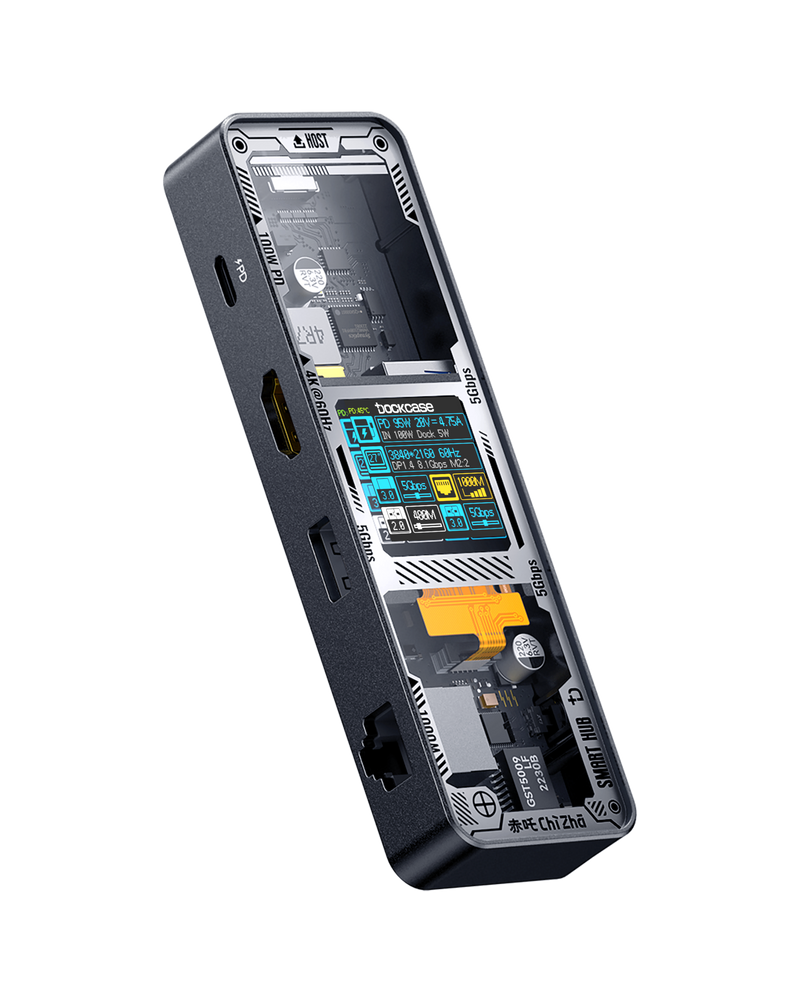
Score: 9.3/10 | Price: $160
Here’s where I tell you a Chinese brand story.
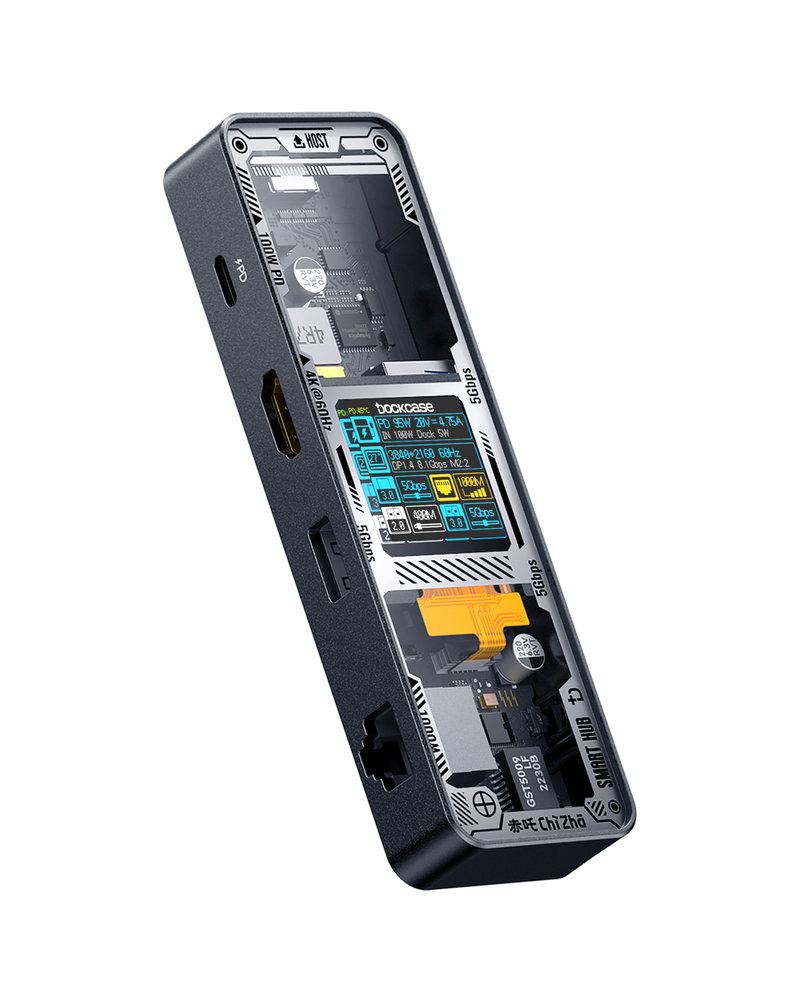
DOCKCASE started in Shenzhen around 2020, founded by engineers who were frustrated that USB-C docking was a black box – you plug things in and hope for the best. Their solution: put a tiny LCD screen on the dock that shows exactly what each port is doing. Power draw per port. Data transfer mode. DisplayPort Alt Mode negotiation status. All visible. In real time.
I thought this was a gimmick until I used it.
The screen showed me that my HDMI output was running at 4K/30Hz instead of 4K/60Hz because the dock auto-allocated bandwidth to a USB drive I’d plugged in. I unplugged the drive, the display instantly jumped to 60Hz, and the screen confirmed it. That one moment justified the product’s existence for me. (I’d been wondering why my external display looked subtly laggy for two weeks. Two weeks.)
Beyond the screen: HDMI supports 4K/60Hz, DisplayPort does 4K/120Hz, gigabit Ethernet, UHS-II SD card slot at 312 Mbps, a 10 Gbps USB-C port, a 10 Gbps USB-A port, two USB-A 2.0 ports, and 100W power passthrough. The aluminum body runs warm but never hot – I measured 42 degrees C after four hours, which is normal for this port density.
The PD negotiation is proper 28V/5A on supported chargers – that’s PD 3.1 EPR territory, which most hubs can’t do. I confirmed this with my power meter and then spent twenty minutes explaining USB PD revisions to nobody in particular. Engineering brain.
Two complaints. First: no manual. For a product whose entire value prop is transparency about what’s happening inside, the documentation is bizarrely opaque. I figured out most features through trial and error. Second: the USB-A 2.0 ports are 480 Mbps in 2026. Just make them all USB 3.0 already.
Why it’s #1: The screen changes how you interact with a dock. You stop guessing and start knowing. At $160, it undercuts most 10-in-1 competitors while offering a genuinely unique feature.
#2. CalDigit TS4 (Thunderbolt 4)
Score: 9.1/10 | Price: $380
The TS4 is the dock you buy when you never want to think about docks again.
18 ports. Three Thunderbolt 4 at 40 Gbps. Three USB-C and five USB-A at 10 Gbps. 2.5 GbE Ethernet. SD and microSD UHS-II slots. 98W power delivery. Single 8K or dual 6K display support on M-series Macs.
I’ve been running the TS4 for four months now. In that time, I’ve connected and disconnected maybe 500 times. Not a single hot-plug failure. Not a single display handshake issue. Not one weird “your USB device was not recognized” popup. On either macOS or Windows.
That reliability is worth paying for. Seriously.
Where the TS4 loses to the DOCKCASE is value and transparency. At $380, it costs more than double. And when something goes wrong – rare, but it happens – you have no idea which port is the issue. You just unplug things one by one until it works. The DOCKCASE screen solves that problem for $220 less.
But if you’re a creative professional running multiple high-bandwidth peripherals and you need guaranteed Thunderbolt 4 performance, the TS4 is the correct answer. It’s been the correct answer for three years running.
Why it’s #2: The reliability gold standard. You pay a premium for zero surprises, and that premium is worth it for professionals.
#3. UGREEN Revodok Pro 9-in-1
Score: 8.6/10 | Price: ~$130
UGREEN occupies the “reliable mid-range” space in USB-C docks the way Toyota occupies it in cars. Not exciting. But it works, the price is right, and your parents won’t be confused by it.
The Revodok Pro 9-in-1 gives you HDMI at 4K/60Hz, three USB-A 3.0 ports, one USB-C data port, SD and microSD slots, gigabit Ethernet, and 100W PD passthrough. The aluminum chassis is solid. The cable is long enough – about 20cm – to reach comfortably behind a laptop.
4K at 60Hz worked perfectly on both Mac and Windows. File transfer speeds hit 5 Gbps consistently on the USB-A ports. Nothing surprised me in four weeks of testing, which is exactly what you want from a dock.
Where it loses points: no DisplayPort output. If you need DP for a high-refresh monitor, look elsewhere. And the SD card slot maxed out at about 95 MB/s in my tests – fine for most photographers, but the DOCKCASE’s UHS-II slot is three times faster.
Actually, I should mention UGREEN’s newer Thunderbolt 5 docks – the Revodok Maxidok 17-in-1 runs up to 120 Gbps and supports 8K displays with 240W total PD. But that’s a different price class entirely. The 9-in-1 is the smart buy for most people.
Why it’s #3: The “just works” option. Not the fastest or most featured, but the best balance of price and reliability for typical use.
#4. Belkin 7-in-1 USB-C Hub
Score: 8.0/10 | Price: ~$50
Belkin is an interesting case study in brand coasting.
The 7-in-1 hub gives you HDMI 1.4 (4K/30Hz – not 60Hz), two USB-A 3.0 ports, SD and microSD slots, a 3.5mm audio jack, and 85W PD passthrough. The build quality is decent – plastic body with a soft-touch finish that doesn’t show fingerprints.
But HDMI 1.4 in 2026? On a $50 hub?
The DOCKCASE 6-in-1 costs $70 and gives you HDMI 2.0 at 4K/60Hz with the diagnostic screen. UGREEN’s cheapest hub does 4K/60Hz for $35. Belkin is charging a brand premium for last-generation specs.
I tested the Belkin because it keeps appearing in “best USB-C hubs” lists from major publications. And honestly, it’s fine. The power delivery is stable, the port spacing is good, and Belkin’s warranty support is responsive. If those things matter more to you than specs-per-dollar, the Belkin isn’t a bad choice.
It’s just not a good value.
Why it’s #4: Reliable brand with responsive support, but the specs don’t justify the price anymore. Coasting on reputation.
#5. Anker 575 13-in-1 Docking Station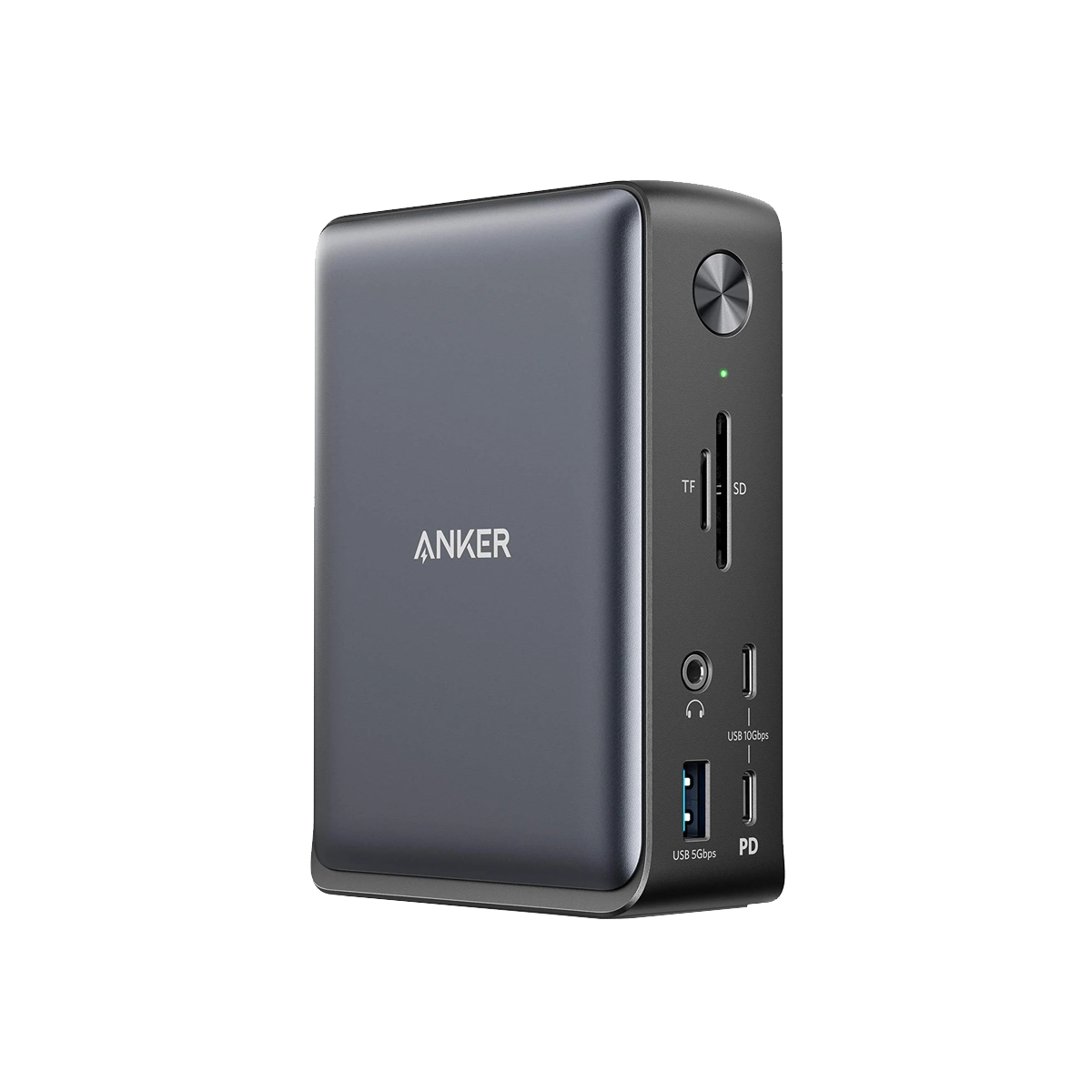
Score: 7.7/10 | Price: $250
The Anker 575 is the dock I wanted to rank higher but couldn’t.
13 ports. Dual HDMI 2.0 plus DisplayPort. 85W PD. 10 Gbps data. Gigabit Ethernet. On paper, it beats the UGREEN and gives the CalDigit a run at $130 less. The metal-reinforced chassis feels premium. Setup is plug-and-play.
And then it disconnected my left monitor for the third time in a week.
I ran into intermittent display handshake failures on macOS – the kind where the screen goes black for two seconds, comes back, then does it again ten minutes later. Windows was more stable but not perfect. Reading through Amazon reviews, this is a known pattern. Anker’s support forums have multiple threads about it.
When it works, the Anker 575 is excellent value. The problem is the “when.” For a $250 dock that’s supposed to be your daily driver, intermittent display issues are a dealbreaker. The CalDigit never had this problem. Not once.
I think this is a bandwidth allocation firmware issue, not hardware. Anker may fix it with an update. But I’m ranking what I tested, not what might come later.
Why it’s #5: Great port selection and build, but display stability issues on Mac knock it down. Reliability is non-negotiable for a desk dock.
The DOCKCASE Story
I want to spend a moment on why DOCKCASE matters beyond this ranking.
The USB-C hub market has been commoditized. Most hubs use the same Realtek or VIA chipsets, the same aluminum extrusions from the same Shenzhen factories, and differentiate almost entirely on port count and price. There’s very little actual innovation.
DOCKCASE broke that pattern by asking a question nobody else asked: what if the user could see what the dock is doing? Not in a settings menu. Not through a diagnostic app. Right there. On the device.
That’s the kind of thinking that comes from engineers who use their own products. The founders literally built what they wished existed. The Chinese tech ecosystem – specifically Shenzhen’s hardware startup culture – makes this possible in a way that’s hard to replicate elsewhere. The speed from idea to prototype to mass production is measured in weeks, not quarters.
Is the screen necessary? Technically no. But it turns a black box into a glass box, and that changes your relationship with the device. It’s the difference between trusting that your dock is doing the right thing and knowing it is.
Full Comparison
| Rank | Product | Price | Ports | Max Display | PD | Data Speed | Score |
|---|---|---|---|---|---|---|---|
| 1 | DOCKCASE Explorer 10-in-1 | $160 | 10 | 4K/120Hz DP | 100W | 10 Gbps | 9.3 |
| 2 | CalDigit TS4 | $380 | 18 | 8K/30Hz | 98W | 40 Gbps TB4 | 9.1 |
| 3 | UGREEN Revodok Pro 9-in-1 | $130 | 9 | 4K/60Hz | 100W | 5 Gbps | 8.6 |
| 4 | Belkin 7-in-1 | $50 | 7 | 4K/30Hz | 85W | 5 Gbps | 8.0 |
| 5 | Anker 575 13-in-1 | $250 | 13 | 4K/60Hz | 85W | 10 Gbps | 7.7 |
Buy or Skip
Buy a USB-C hub ($30-70) if you just need a few extra ports for occasional use. Travel-friendly. The UGREEN 6-in-1 or DOCKCASE 6-in-1 are both solid.
Buy a USB-C dock ($100-200) if you have a permanent desk setup and need reliable daily docking. The DOCKCASE 10-in-1 is our pick.
Buy a Thunderbolt dock ($300+) if you’re running high-bandwidth workflows – video editing, multiple 4K+ displays, fast external storage. The CalDigit TS4 is still the answer. Period.
Related: Need a charger to go with your dock? See our Best Desktop Charging Stations 2026. For more on UGREEN’s full product ecosystem, read our UGREEN Brand Guide.
Skip the Belkin unless you specifically need their warranty support ecosystem. Better specs exist at every price point from Chinese and American competitors.
Real use, real opinion. This post contains affiliate links – DeskForged earns a small commission if you buy through them, at no extra cost to you.


