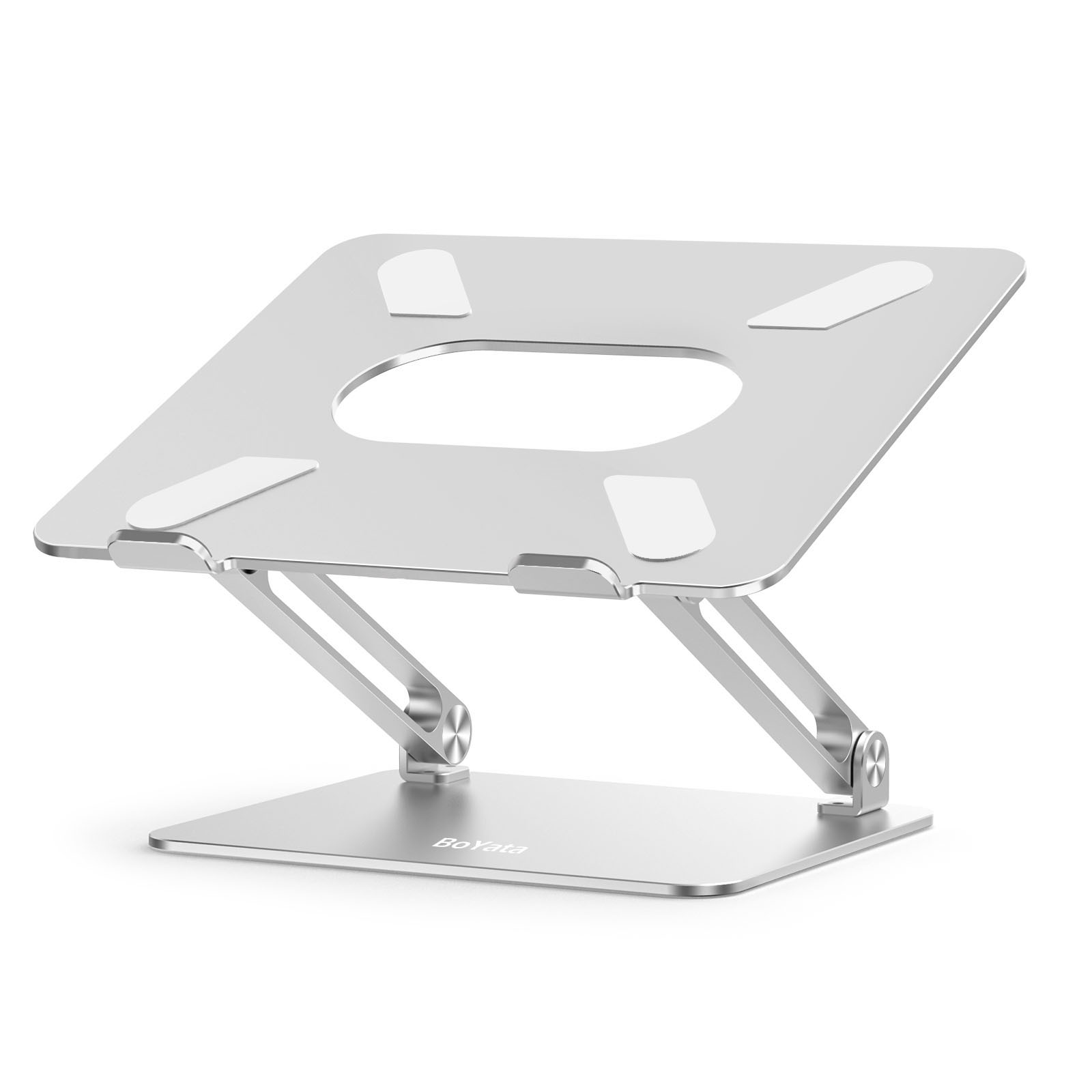
BoYata N19 Laptop Stand: The 30-Second Version
The BoYata N19 is a $36 aluminum laptop stand with adjustable height from 2 to 10 inches. Amazon’s Choice, 4.8 out of 5 stars across 10,000+ reviews. I’ve used it daily for three months on my engineering workstation. It raised my screen to eye level, my neck stopped hurting, and it costs less than two weeks of coffee. The wobble when typing directly on it is real. Use an external keyboard. Problem solved.
Score: 8.0/10 | Check price on Amazon
The Neck Thing
I spend 10-12 hours a day staring at screens. RTL design during tapeout season means long stretches of looking down at a laptop on a flat desk. By month three at my current job, I had this persistent ache at the base of my skull. The kind where you tilt your head back and hear a small orchestra of cracks.
I looked at laptop stands. The Rain Design mStand is $50 and beautiful, but it’s fixed at 5.9 inches. My desk is 74cm. My chair is adjustable. A fixed-height stand means I’m adjusting everything else around it. That felt backwards.
The BoYata N19 showed up on Amazon for $36. Adjustable. Aluminum. 10,000+ ratings at 4.8 stars. I ordered it the same night.
Three months later, the neck cracks are gone. I wish I’d bought this two years ago.
What You Get
| Material | Aluminum alloy frame + silicone pads |
| Hinge type | Z-type dual hinge, stepless adjustment |
| Height range | 2-10 inches (5-25cm) |
| Tilt range | 0-45 degrees |
| Laptop size | 11-17 inches |
| Weight capacity | 44 lbs (20kg) |
| Stand weight | 1.35kg (3.0 lbs) |
| Ventilation | Large center cutout for airflow |
| Colors | Silver, Space Gray, Pink, Gold, Dark Grey |
| Origin | Shenzhen, China |
The box contains the stand and nothing else. No manual, no accessories, no carrying bag. You unfold it, put your laptop on it, adjust. The entire setup takes about fifteen seconds.
Why This BoYata Laptop Stand Actually Matters for Your Spine
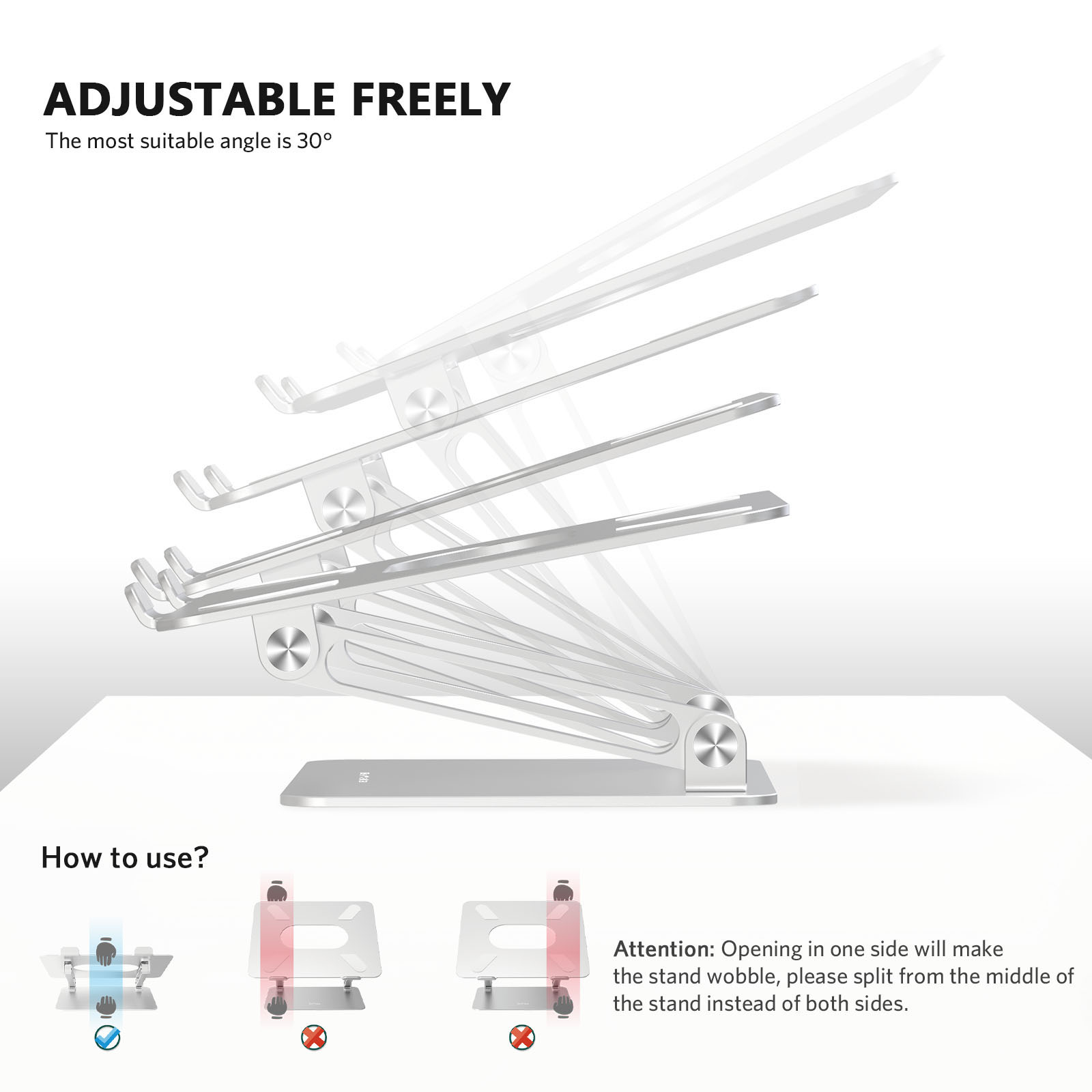
Adjustability is the entire point. According to Contour Design’s ergonomic research summary, raising a laptop screen to eye level can reduce neck and shoulder strain by up to 32%. The mStand gives you one height. The BoYata gives you a continuous range from 2 to 10 inches. That’s the difference between “fits most people” and “fits you.”
I run mine at about 7 inches. That puts the top of my ThinkPad screen roughly at eye level when I’m sitting upright. My colleague, who’s 6'2", runs his at 9 inches. His girlfriend, who borrows his desk on weekends, drops it to 4 inches. One stand, three people, three heights. A fixed stand can’t do that.
The 0-45 degree tilt is useful for drawing tablet mode or showing your screen to someone across the desk. I rarely use it past 15 degrees, but it’s there.
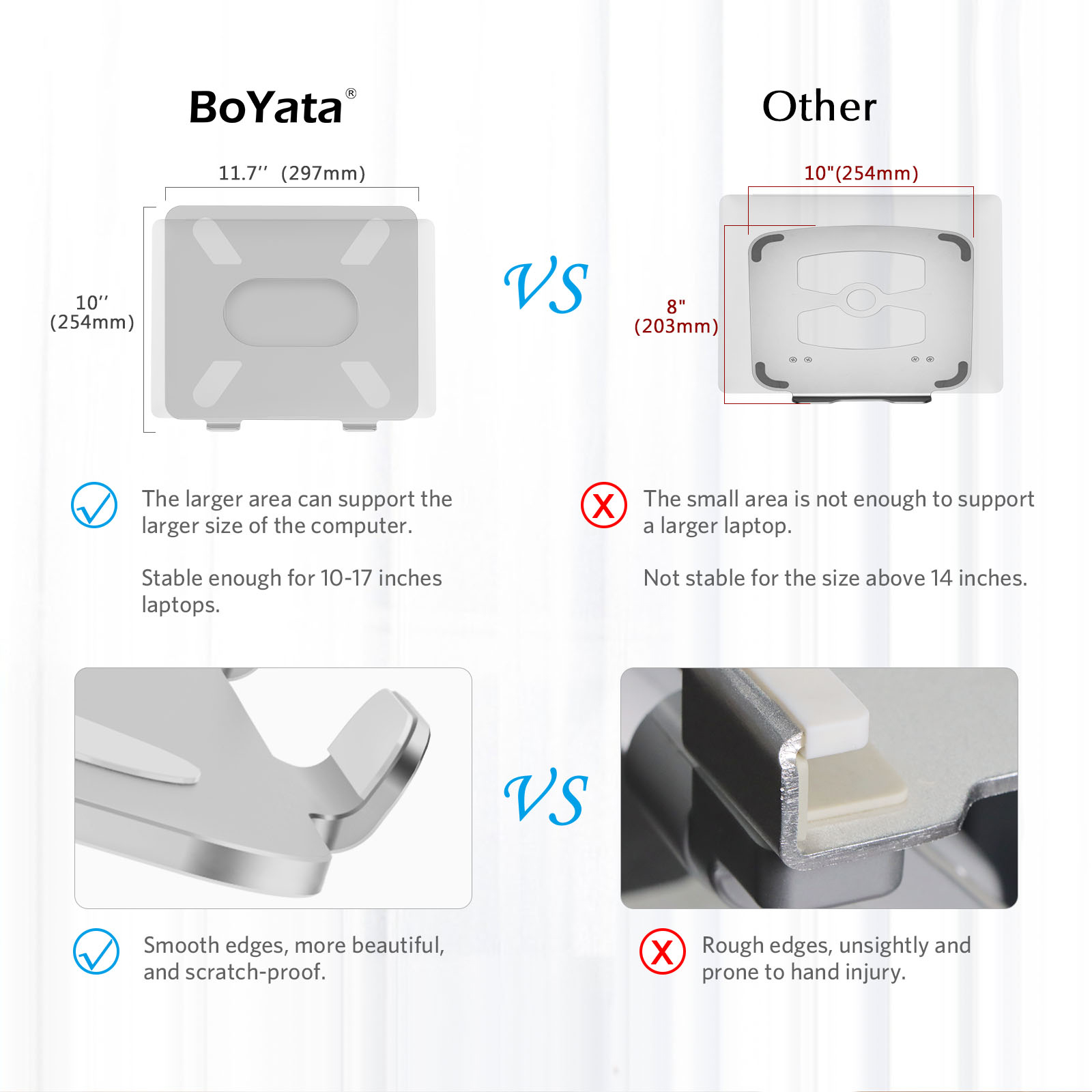
Fits 11 to 17 inch laptops. I’ve had my 14-inch ThinkPad and a friend’s 16-inch MacBook Pro on it. Both sit securely. The silicone pads grip well and don’t leave marks. The 44-pound capacity is overkill for any laptop, but it means the platform doesn’t flex under weight.
The Honest Problems With the N19
Let’s talk about wobble. If you type directly on your laptop while it’s on the stand, it wobbles. Not dramatically, not dangerously, but enough that you’ll notice it. The taller you set it, the worse it gets. At 9 inches with aggressive typing, the screen shakes visibly. This isn’t a defect. It’s physics. A Z-hinge at full extension is a lever arm, and your key presses are the input force.
The fix is simple: use an external keyboard. Which you should be doing anyway if you care about ergonomics. But if your whole plan was “raise the laptop, keep typing on it,” know that this stand won’t feel rock-solid at height.
The hinges are stiff. Like, uncomfortably stiff. Out of the box, adjusting the height requires real grip strength. I genuinely thought mine was defective for the first few days. It loosens up after a week or two of daily adjustment, but that initial experience is rough. BoYata designs them this way on purpose, stiff hinges hold their position without sagging. But they could loosen them about 20% and still have plenty of holding force.
It’s not pretty. I know that sounds shallow, but look at a Rain Design mStand next to this. The mStand is a single piece of forged aluminum with a cable channel. It looks like Apple made it. The BoYata looks like what it is: an adjustable mechanism with visible hinges and bolts. Functional, not decorative. If your desk setup is an aesthetic project, this stand will stick out.
No cable management channel. The mStand routes your charging cable through a hole in the back. The BoYata doesn’t. Cables just hang. Minor, but worth noting for clean-desk people.
Long-term hinge durability is unknown. I’ve had mine for three months. The hinges feel identical to month one (after break-in). But I can’t tell you what they’ll feel like in two years. The aluminum frame will outlast the hinges, that much is obvious.
BoYata N19 vs the Competition
| Feature | BoYata N19 (~$36) | Rain Design mStand (~$50) | Twelve South Curve (~$50) | Twelve South Curve Flex (~$80) |
|---|---|---|---|---|
| Material | Aluminum alloy | Single-piece aluminum | Aluminum | Aluminum |
| Adjustable | Yes, 2-10" height | No, fixed 5.9" | No, fixed | Yes, adjustable |
| Tilt | 0-45 degrees | Fixed 18 degrees | Fixed | Adjustable |
| Laptop size | 11-17" | 12-17" (MacBook focused) | MacBook only | 10-17" |
| Cable management | None | Rear cable channel | Rear cable channel | Rear cable channel |
| Weight capacity | 44 lbs | ~10 lbs | ~10 lbs | ~11 lbs |
| Aesthetic | Functional | Premium | Premium | Premium |
| Price | $36 | $50 | $50 | $80 |
The mStand is the prettier stand. No question. If you have a MacBook on a clean desk and you never need to change the height, it’s the better buy at $50. But if you share a desk, switch laptops, or just want the ability to dial in your exact ergonomic height, the BoYata does something the mStand physically cannot. The Twelve South Curve Flex is the closest direct competitor, adjustable aluminum with cable management. It’s also $80. More than double the BoYata’s price for roughly the same functionality plus a cable channel.
Buy If / Skip If
Buy it if:
- You want adjustable height without spending $80+ on the Twelve South Curve Flex
- You use an external keyboard (or plan to start)
- Multiple people share the same desk setup
- You have a non-MacBook laptop and need universal compatibility (11-17")
Skip it if:
- Desk aesthetics matter more than adjustability, get the mStand
- You plan to type directly on the laptop at maximum height
- You want integrated cable management
- You already have a fixed stand and your neck feels fine
Final Verdict: Is the BoYata N19 Laptop Stand Worth $36?
8.0 out of 10. The wobble costs it a point. The stiff hinges cost half a point. But here’s the thing: the BoYata N19 is a $36 adjustable aluminum laptop stand that fits everything from an 11-inch iPad setup to a 17-inch workstation. The Twelve South Curve Flex does the same job for $80. The mStand looks better but can’t adjust at all.
For an engineer who just wants their screen at eye level without overthinking it, this is the obvious pick. Buy it, use an external keyboard, and stop looking down at your laptop like it owes you money.
Related: See where the N19 ranks in our Best Laptop Stands 2026 guide. For more on budget desk gear, check our Chinese Brands Desk Gear Guide.
Real use, real opinion. This post contains affiliate links, DeskForged earns a small commission if you buy through them, at no extra cost to you.


